

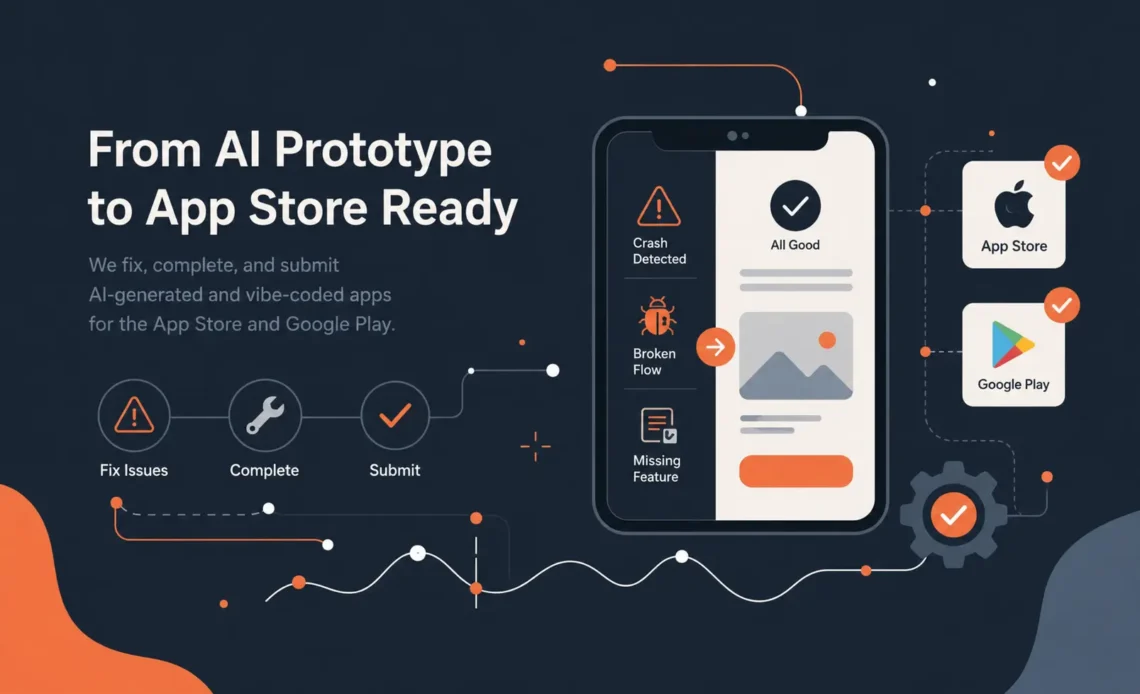
AI can help you build an app quickly. It cannot guarantee that your app is ready for the App Store.
Over the past year, more founders, startups, and small businesses have started building apps with AI coding tools, app builders, no-code platforms, and “vibe coding” workflows.
AI made building easier. It did not make launching safer. We track that shift in our mobile development trends timeline, from ChatGPT in 2022 to agentic apps in 2026.
That is not a bad thing.
AI-assisted development can be useful for turning an idea into a prototype, testing a concept, building a quick interface, or exploring how a product might work. For many founders, it has lowered the barrier to getting started.
But there is a growing problem.
Many of these apps look finished, but they are not production-ready.
They may run on the developer’s machine. They may look acceptable in a simulator. They may even work well enough for a demo. But once they reach Apple App Review or Google Play review, the problems become obvious.
The app gets rejected.
Sometimes it is because of crashes. Sometimes it is because login does not work. Sometimes it is because subscriptions are implemented incorrectly. Sometimes it is because permissions, privacy, onboarding, or app metadata do not match what the app actually does.
And sometimes the issue is simpler: the app does not yet provide enough real functionality to be accepted.
At Underlabs, we are seeing more of this: people arriving with half-built, AI-generated, or vibe-coded apps that need to be stabilized, completed, reviewed, rebuilt, or properly submitted to the Apple App Store and Google Play.
This article explains what usually goes wrong, what App Store reviewers are really looking for, and how to turn an AI-built prototype into a real mobile product.
What is a vibe-coded app?
A vibe-coded app is usually an app built quickly through AI-assisted coding, prompt-based development, no-code tools, or rapid prototyping workflows.
The founder or builder describes what they want, the tool generates code, and the app begins to take shape.
This can work well for early experimentation.
The issue is that mobile apps are not just screens.
A real production app needs:
- Stable iOS and Android builds
- Correct navigation
- Reliable authentication
- Proper error handling
- Secure API communication
- App Store compliant subscriptions or purchases
- Privacy policy alignment
- Permission justification
- Crash-free launch behavior
- Responsive buttons and forms
- Correct handling of edge cases
- Proper app metadata
- Testing on real devices
- A clean review submission package
AI can generate pieces of this. It rarely owns the whole responsibility.
That is where many apps break down.
Why AI-generated apps often get rejected
Most app rejections are not mysterious. They usually fall into a few categories.
1. The app crashes, freezes, or does not respond
This is one of the most common reasons for rejection.
An app may work during casual testing but fail during review because the reviewer uses a different device, OS version, account state, region, network condition, or test path.
Common examples include:
- The app crashes on launch
- A screen freezes after login
- A button does nothing
- A form cannot be submitted
- A loading state never finishes
- A required API call fails silently
- The reviewer cannot access the app’s main functionality
This is especially common in AI-generated apps because the happy path may work, but the edge cases are weak.
A human user may forgive a small bug in a demo.
App Review usually will not.
2. The app does not have enough real functionality
This is another major issue.
Some AI-built apps look like mobile products, but under the surface they are mostly static screens, placeholder flows, copied templates, or thin wrappers around basic content.
Google Play, in particular, has policies against apps with limited functionality, little content, or apps that do not provide an engaging user experience.
Apple also expects apps to offer value, polish, and a complete experience.
A common founder mistake is thinking:
“The app opens and has screens, so it should be approved.”
That is not enough.
The app needs to do something meaningful, reliably, for the user.
3. The app store listing promises more than the app delivers
Reviewers compare what your app claims to do with what it actually does.
If your screenshots, description, onboarding, or marketing copy say the app offers certain features, those features must be accessible and functional during review.
Common problems include:
- Features shown in screenshots but missing in the app
- “Coming soon” sections presented as current features
- AI-generated copy that overpromises
- Subscription descriptions that are unclear
- Misleading claims about results, automation, health, finance, productivity, or AI accuracy
- Demo content that looks real but is not supported by actual functionality
This is not only a marketing problem. It becomes a compliance problem.
4. Login, test accounts, or permissions are not properly configured
Many apps are rejected because the reviewer cannot get into the app.
This sounds basic, but it happens constantly.
Typical issues include:
- No demo account provided
- Login requires a phone number but no test number is supplied
- Email verification blocks the reviewer
- Apple Sign In is missing where required
- The backend rejects reviewer accounts
- The app requires location, contacts, camera, photos, or microphone access without clear justification
- The app asks for permissions before the user understands why
AI tools often generate permission requests without properly thinking through whether the app actually needs them.
App stores care about this.
Users do too.
5. In-app purchases and subscriptions are implemented incorrectly
Subscriptions are one of the easiest places to get rejected.
Common problems include:
- The app uses external payment for digital goods where Apple or Google require native in-app purchase
- Restore purchases is missing
- Subscription benefits are unclear
- Paywall copy is misleading
- The app does not handle expired, cancelled, or upgraded subscriptions correctly
- Sandbox testing was not completed properly
- The backend does not verify receipts or purchase tokens correctly
This is not an area where “it seemed to work once” is enough.
Payments need to be implemented carefully.
6. Privacy policy and data handling do not match the app
Many AI-generated apps collect more data than expected, use third-party services, or send user content to external APIs.
That may be acceptable, but it needs to be disclosed properly.
Your privacy policy, App Store privacy labels, Google Play Data Safety form, onboarding copy, and actual app behavior need to align.
If your app uses AI, analytics, crash reporting, cloud storage, location, media uploads, chat messages, or user-generated content, the privacy story needs to be clear.
A generic privacy policy copied from somewhere online is often not enough.
7. The app was built quickly, but not architected properly
This is the deeper issue.
A vibe-coded app can look impressive early, but the codebase may be fragile.
Common engineering problems include:
- No clear architecture
- Duplicated logic
- Hardcoded values
- Inconsistent state management
- Poor API error handling
- No separation between prototype code and production code
- Security-sensitive logic inside the app
- No proper environment handling
- Weak database rules
- No crash reporting
- No logging
- No release checklist
- No clean build process
At that point, the question becomes:
Should we fix the existing app, or rebuild the critical parts properly?
The honest answer depends on the codebase.
Sometimes a cleanup is enough.
Sometimes the prototype did its job, and now the production version needs to be built correctly.
Can Underlabs fix a vibe-coded or AI-generated app?
Yes.
Underlabs helps founders, startups, and businesses take half-built, AI-generated, or rejected mobile apps and turn them into stable, production-ready iOS and Android applications.
This can include:
- Reviewing the existing codebase
- Identifying why the app was rejected
- Fixing crashes and broken functionality
- Completing missing user flows
- Improving the mobile architecture
- Implementing proper authentication
- Fixing in-app purchases or subscriptions
- Preparing App Store and Google Play submissions
- Updating privacy disclosures and app metadata
- Testing on real devices
- Rebuilding unstable parts of the app when needed
- Helping turn an AI prototype into a real product
The goal is not to criticize how the app was started.
The goal is to get it working properly.
AI may have helped you create the first version. Experienced mobile engineers can help you get it approved, stable, and ready for real users.
What to do if your app was rejected by Apple or Google Play
If your app was rejected, do not immediately resubmit the same build with small random changes.
That usually wastes time.
Instead, follow a structured process.
Step 1: Read the rejection carefully
The rejection message usually points to a category of problem.
Look for references to:
- Broken functionality
- Minimum functionality
- Metadata
- Privacy
- Payments
- Login
- Guideline violations
- Permissions
- User-generated content
- Misleading claims
Do not only read the first sentence. Review the attached screenshots, videos, notes, and policy references.
Step 2: Reproduce the reviewer’s path
Try to follow the exact path the reviewer likely used.
Test:
- Fresh install
- No logged-in account
- Slow network
- Denied permissions
- New user registration
- Existing user login
- Subscription purchase
- Restore purchase
- Logout and login again
- Different device sizes
- Latest OS version
- Real device, not only simulator
Many bugs only appear when the app is tested like a new user would test it.
Step 3: Check whether the app actually delivers its core value
Ask a simple question:
Can a first-time user understand the app, use the main feature, and receive the promised value without help?
If the answer is no, the problem may not only be technical.
It may be product clarity.
App reviewers are not there to interpret your intention. The app needs to make sense on its own.
Step 4: Fix the root cause, not just the symptom
If a button does nothing, the fix is not only to hide the button.
You need to understand why it was there, what the expected flow is, and whether the feature is required for the app’s core promise.
If a subscription fails, the fix is not only to change the paywall copy.
You need to verify the full purchase lifecycle.
If login fails, the fix is not only to create one test account.
You need to make sure authentication works reliably for real users.
Step 5: Prepare a clean resubmission
A good resubmission should include:
- A fixed build
- Clear reviewer notes
- Demo credentials if required
- Explanation of what changed
- Accurate metadata
- Working screenshots
- Correct privacy disclosures
- Tested flows
- A realistic description of the app’s functionality
The easier you make it for the reviewer to verify the app, the better.
Should you fix the existing app or rebuild it?
This is one of the most important questions.
You should consider fixing the current app if:
- The main architecture is sound
- The app mostly works
- The rejection is isolated
- The codebase is understandable
- The backend is stable
- The app only needs completion and cleanup
You should consider rebuilding parts of the app if:
- The app breaks in multiple places
- The codebase is unmaintainable
- The same bug keeps returning
- The app has no clear architecture
- Payments or authentication were hacked together
- The app relies on fragile generated code
- The prototype cannot safely support real users
A prototype is not a failure.
A prototype is a learning tool.
But once users, payments, private data, or App Store approval are involved, the product needs production discipline.
The real lesson: AI is a builder, not a product team
AI coding tools are powerful.
They can help create screens, generate components, write boilerplate, explain errors, and accelerate development.
But a successful mobile app still needs product judgment, engineering judgment, platform knowledge, testing, compliance awareness, and release experience.
The App Store does not approve vibes.
Google Play does not approve intentions.
They approve functioning software that meets their policies and gives users a real experience.
That is the gap many founders are now discovering.
And it is a fixable gap.
Need help with a rejected or half-built app?
If you have an app that was built with AI, Cursor, ChatGPT, a no-code tool, a freelancer, or an internal prototype and it is now stuck before launch, Underlabs can help.
We can review the app, identify the main blockers, explain whether it should be fixed or partially rebuilt, and help prepare it for Apple App Store and Google Play submission.
Whether your app was rejected, crashes during review, has broken subscriptions, lacks polish, or simply feels “almost done but not quite,” we can help turn it into a real mobile product.
Contact Underlabs to review your app and plan the next step.
FAQ
Can an AI-generated app be published on the App Store?
Yes. Apple and Google do not reject an app simply because AI helped create it. The issue is whether the app is stable, useful, compliant, functional, and accurately represented.
Why did my app get rejected for broken functionality?
Usually because the app crashed, froze, failed to load, had unresponsive buttons, blocked the reviewer, or did not work as expected during review.
Why did Google Play reject my app for minimum functionality?
This usually means the app does not provide enough useful functionality, has very limited content, feels incomplete, or does not offer an engaging user experience.
Can Underlabs fix an app built with Cursor, ChatGPT, or another AI coding tool?
Yes. Underlabs can review the codebase, fix critical issues, improve the app structure, complete missing flows, and help prepare the app for App Store or Google Play submission.
Do I need to rebuild my vibe-coded app from scratch?
Not always. Some apps only need targeted fixes. Others need partial rebuilding. The right answer depends on the quality of the existing code, the severity of the rejection, and the long-term goals of the product.
Can Underlabs handle App Store and Google Play submission?
Yes. Underlabs can help prepare the app, metadata, test accounts, subscriptions, privacy disclosures, and submission notes required for review.
What should I send Underlabs if my app was rejected?
Send the rejection message, screenshots or videos from the reviewer, your app build, test credentials, app store listing draft, and a short explanation of what the app is supposed to do.