Personalized journeys
Flight details, passenger answers, airport position, route, and remaining time combined to determine the next relevant action.

Transportation / Aviation
A full passenger-experience platform delivered across mobile, cloud, CMS, location services, integrations, and analytics.
Overview
Aéroports de Montréal needed more than a static directory or terminal map. The correct next step changes with the passenger's flight, departure time, airport zone, baggage, travel context, and whether they are departing, arriving, connecting, or meeting someone.
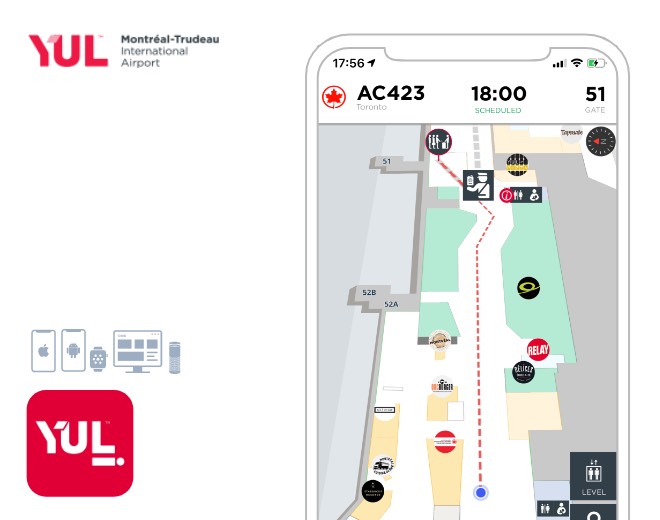
Underlabs designed and delivered a unified ecosystem of production iOS and Android applications, cloud services, a desktop content-management platform, analytics, flight-data integrations, geofencing, contextual notifications, and step-by-step indoor guidance.
The challenge
The platform needed to interpret several live and passenger-provided signals at once:
The result was a universal platform that could guide passengers throughout the airport journey while allowing administrators to deliver flight information and promotions based on where each passenger was located.
The solution
Flight details, passenger answers, airport position, route, and remaining time combined to determine the next relevant action.
Step-by-step directions led passengers to baggage drop, security, passport control, services, shops, restaurants, and gates.
Departures, arrivals, boarding information, gate changes, wait times, parking, SecurXpress, and direct alerts supported the journey.
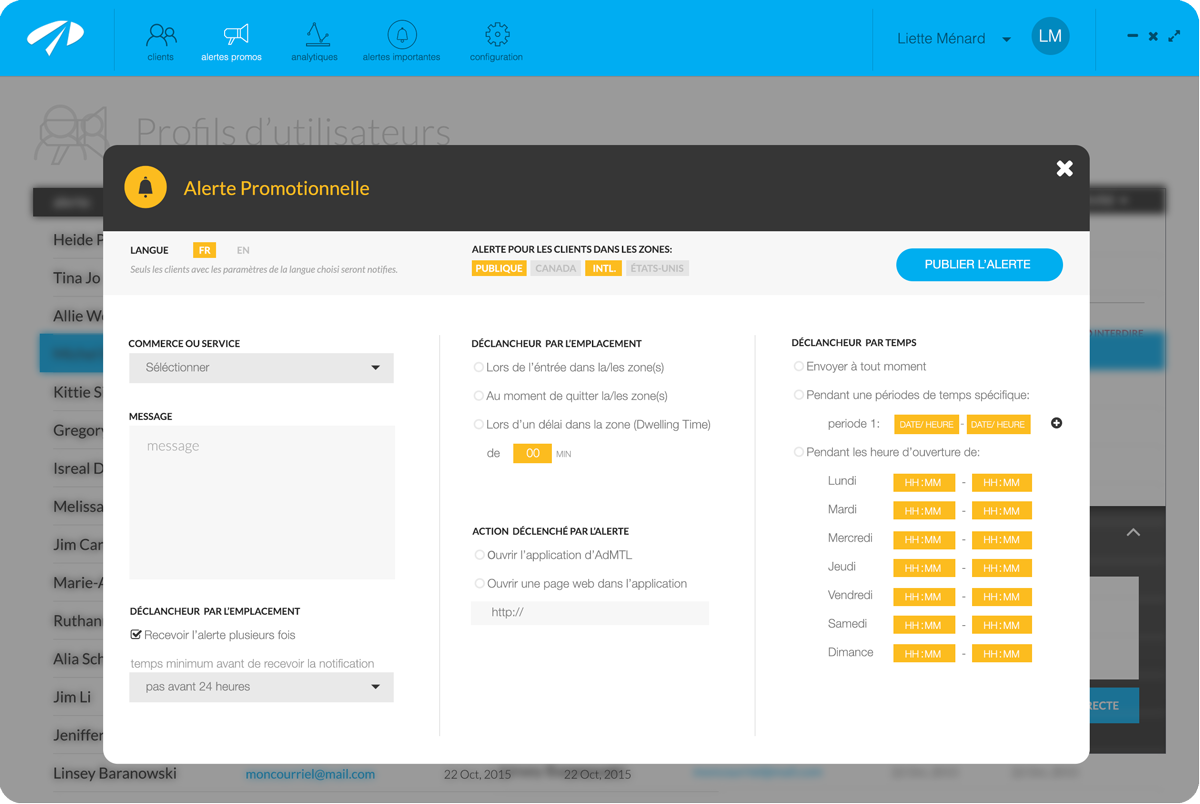
Zone, entry, exit, dwell time, schedule, opening hours, flight, traveler context, and cooldown rules controlled message delivery.
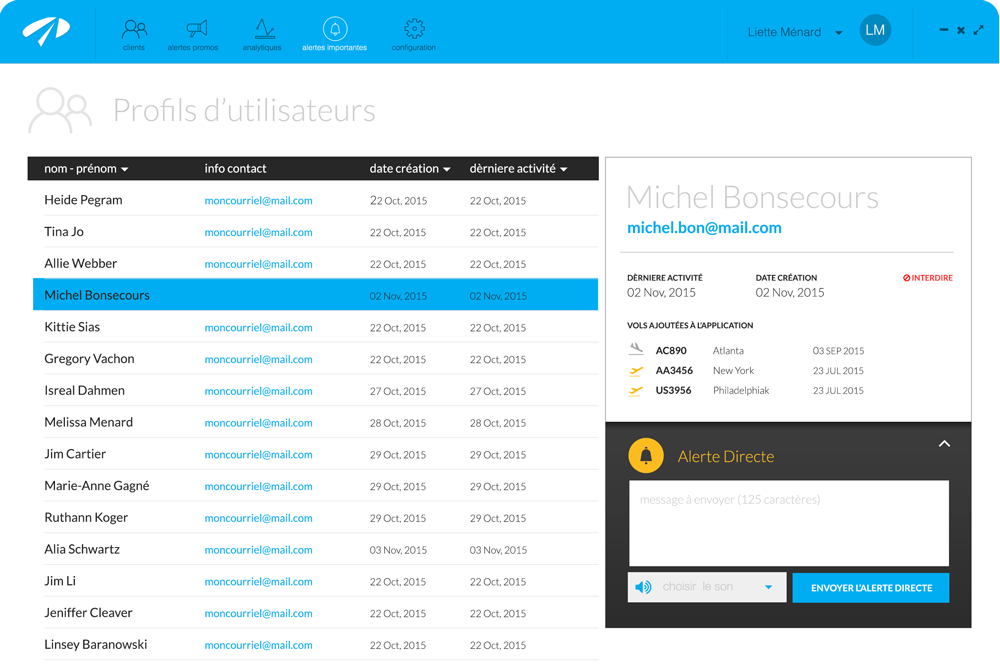
Authorized airport teams managed users, flights, geofences, promotions, direct flight alerts, settings, and reporting from macOS and Windows.
Dashboards covered users, zone events, notification delivery and opens, click-through rates, promotion performance, errors, and exports.
The operating system behind the journey
Desktop content management
Airport personnel could review account activity and saved flights, restrict access when necessary, and send a direct message to one passenger or a group associated with a flight.
Contextual promotions
Administrators could select airport zones, choose entry, exit, or dwell-time triggers, set schedules and opening hours, define an action, and prevent repetitive notifications with cooldown rules.
Geofence architecture
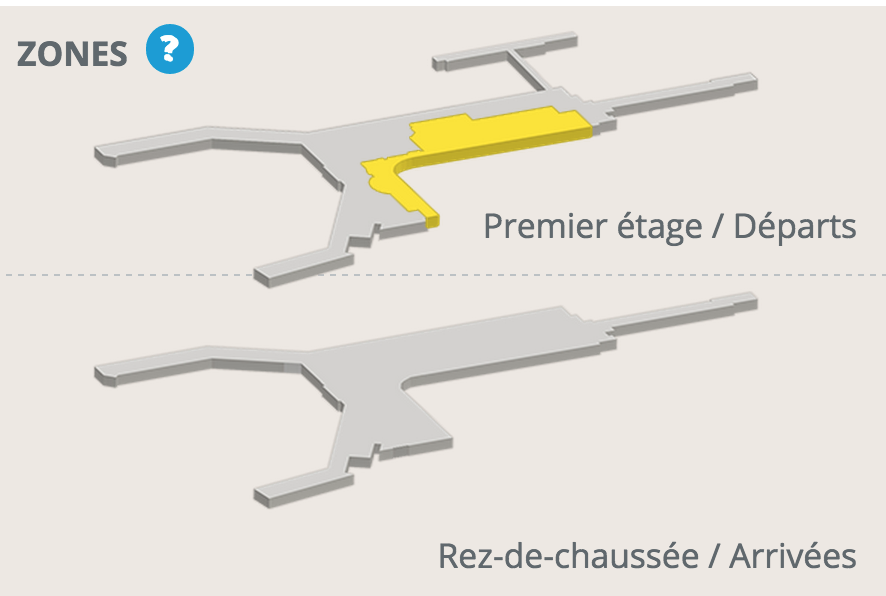
Overlapping virtual zones identified entry, exit, and dwell time across public, Canadian, international, and United States areas. Distance-filtered GPS reduced unnecessary location checks as passengers approached and moved through the terminal.
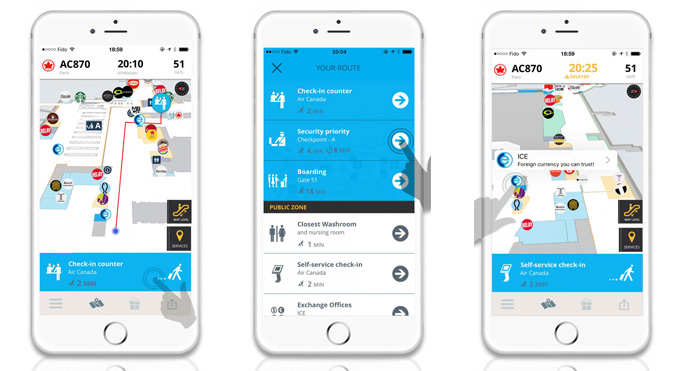
Step-by-step journey
The mobile experience combined the map, live flight context, route priorities, and the passenger's next action. The guidance model supported departures, arrivals, connections, and meeting another traveler.
Location strategy
For airport-scale zones, geofences provided the signals the engagement needed without requiring passengers to enable Bluetooth:
Designed for broad airport context, overlapping terminal areas, and distance-filtered location checks.
Bluetooth had to be enabled, signals could vary around metal and other interference, accuracy changed with battery and device position, and hardware required battery maintenance.
Result
The completed system brought passenger navigation, real-time flight information, contextual communication, commercial engagement, and airport analytics together in one operational platform.
Project facts
Build a connected product system
Share the journey, live data, and administrative controls your organization needs to bring together.
Discuss your project